Pistachio
A local AI client for the Morpheus peer-to-peer AI network. Stake MOR, connect directly to decentralized AI providers, and run inference from your own machine. No API keys, no cloud accounts, no middlemen.
brew tap drm3labs/drm3 && brew install --cask pistachio-desktopLinux:
curl -fsSL https://drm3.network/install.sh | sh
pistachio config set private-key and paste your private key. This stays on your machine. Desktop app users get an in-app setup screen on first launch.
pistachio serve and open http://localhost:19377. The dashboard shows your wallet, models, and network status. Pick a model, stake, and go.
pistachio doctor to check wallet, pass, MOR balance, ETH gas, RPC status, and provider health in one shot. It tells you exactly what's missing.
pistachio info to verify all of these at once.What is Morpheus?
Morpheus is a decentralized peer-to-peer AI network. Independent compute providers run AI models (LLaMA, Qwen, DeepSeek, Mistral, and others) and register them on-chain on Base. Users stake MOR tokens to open direct sessions with providers. There is no central server. Your prompts go directly from your machine to the provider. That is the Morpheus network. Read more about Pistachio and Morpheus on the DRM3 blog.
What is Pistachio?
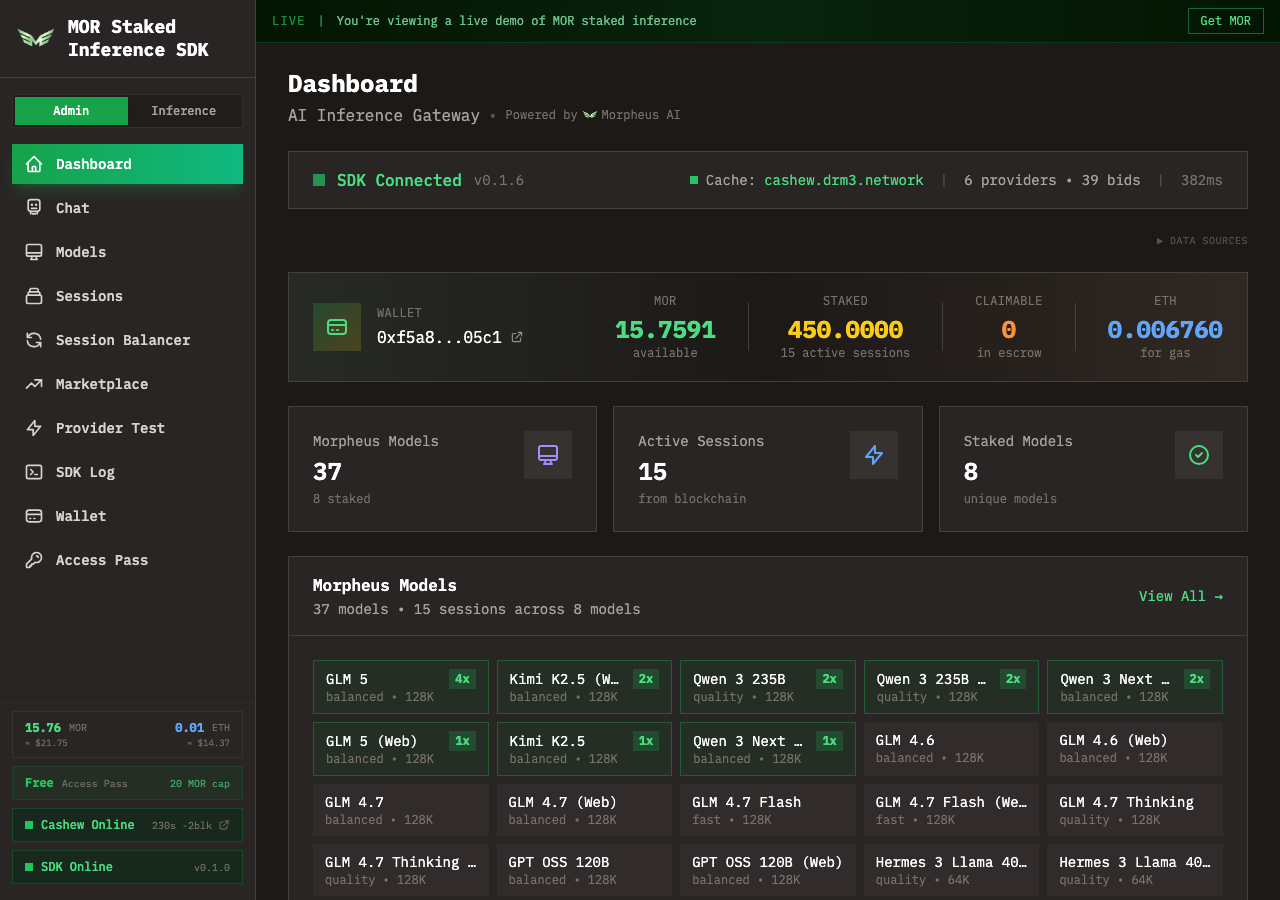
Pistachio is DRM3's client for the Morpheus network. It runs on your machine and handles everything: discovering providers on-chain, staking MOR to open sessions, routing your requests to providers peer-to-peer, and reclaiming your stake when sessions end.
It exposes an OpenAI-compatible API on localhost, so any tool that speaks the OpenAI protocol works out of the box. Point Claude Code, Continue, or any other AI dev tool at it and go.
- Peer-to-peer. Your requests go directly to Morpheus AI providers. No proxy, no relay, no middleman
- Runs locally. Your machine, your data, your keys
- OpenAI-compatible API at
localhost:19377/v1with built-in API playground - Built-in dashboard with chat, model browser, session management, and network monitoring
- CLI + headless daemon for servers, VPS, or anywhere without a GUI
- Works with Claude Code, Continue, aider, and other AI dev tools
- Automated staking. Stake once, the autostaker handles restakes and session lifecycle
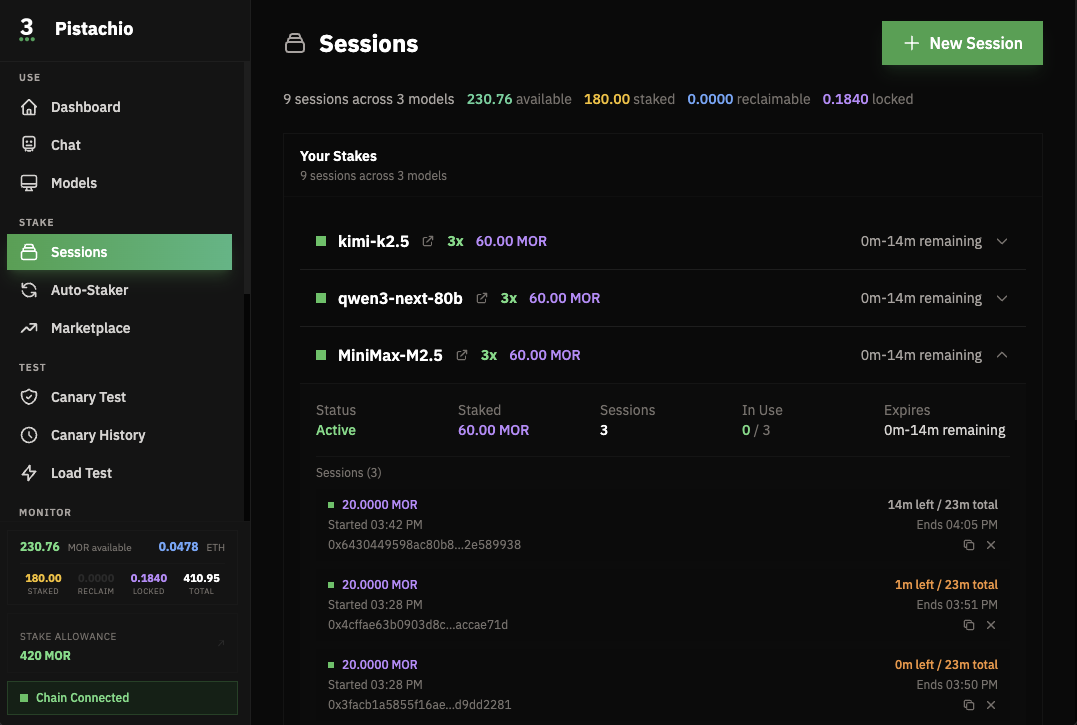
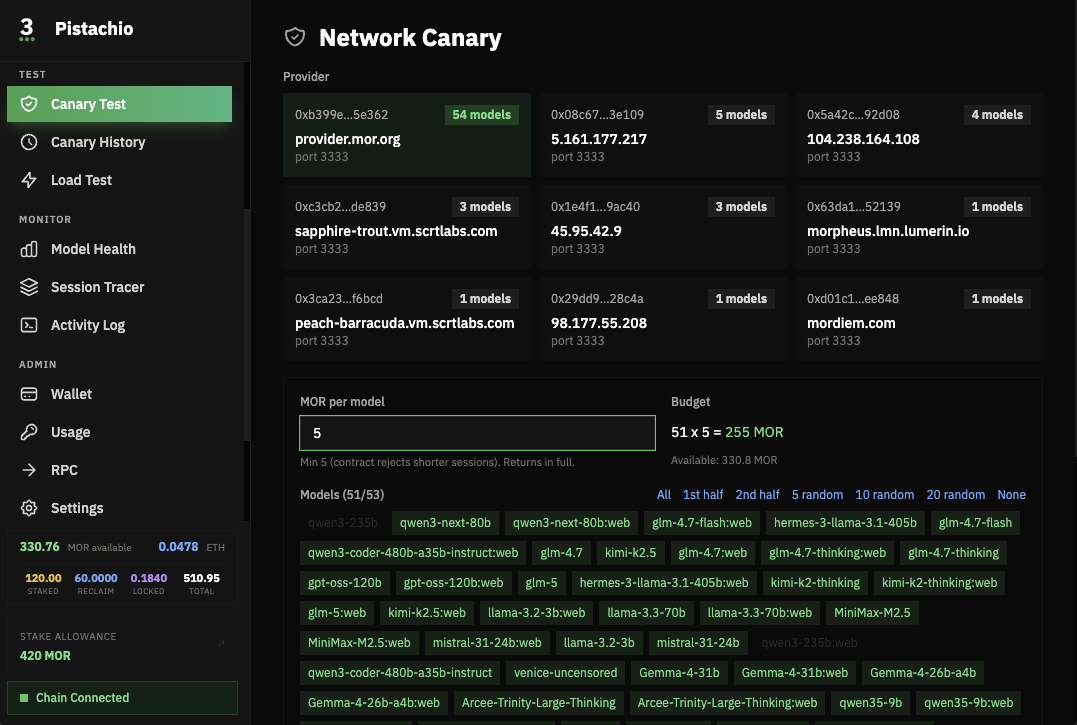
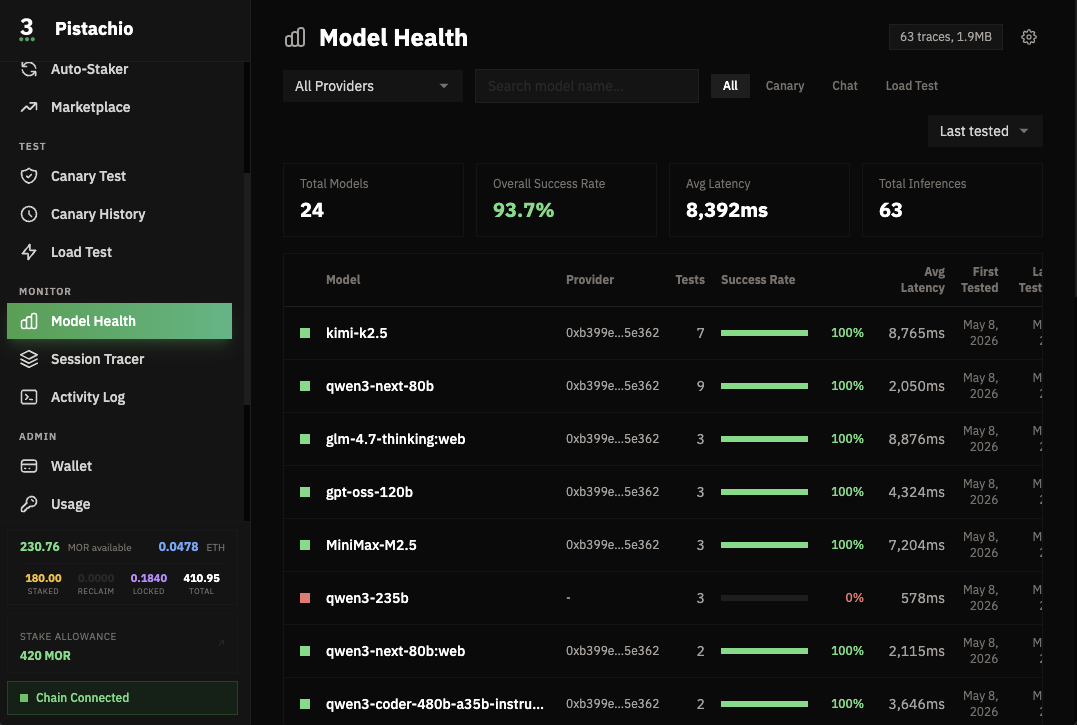
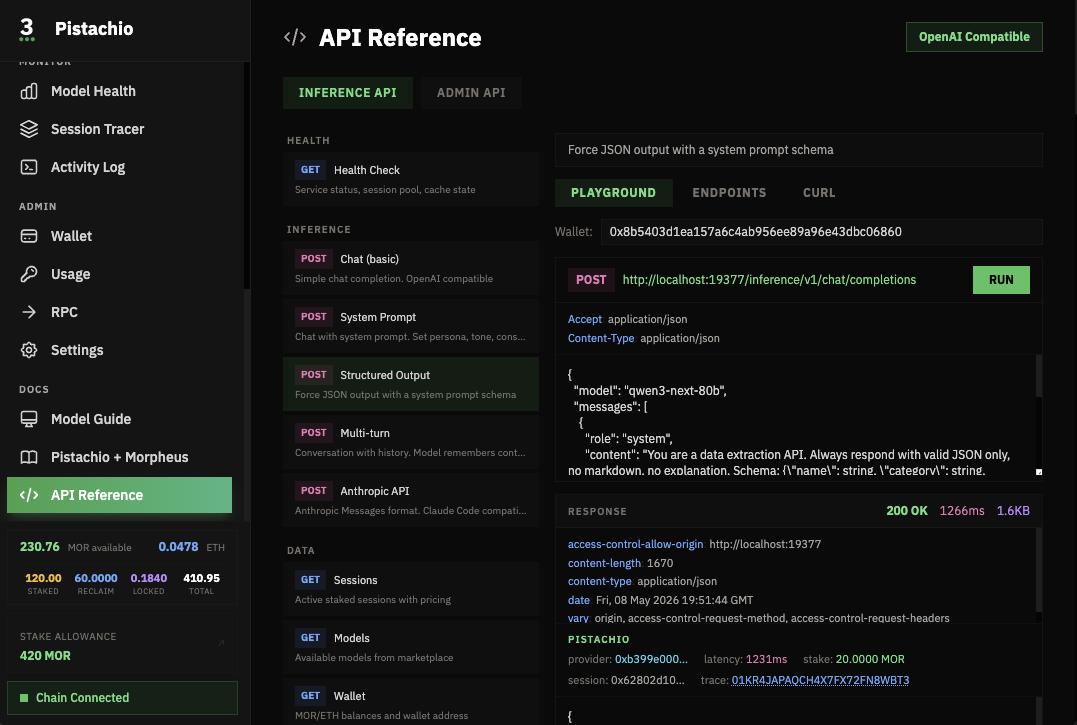
Available as a macOS desktop app (Homebrew cask), a command-line client (Homebrew or curl install), and a headless daemon for servers. Runs on macOS, Ubuntu/Linux, and Windows via WSL2.
Requirements
- An Ethereum wallet like MetaMask (your identity on the network)
- A free DRM3Pass NFT (claim here)
- MOR tokens on Base (buy on Coinbase, Aerodrome, or swap within MetaMask)
- A small amount of ETH on Base for gas
There are several ways to get set up. Here are two straightforward options:
Option 1: Buy on Coinbase, send to MetaMask
- Search for MOR on Coinbase and buy some (it trades on the Coinbase DEX)
- Buy ETH on Coinbase as well
- Send both MOR and ETH to your MetaMask wallet. Make sure to send on the Base network
Option 2: Send ETH, swap for MOR
- Send ETH to your MetaMask wallet on Base
- Swap some ETH for MOR using Aerodrome, MetaMask's built-in swap, or Uniswap
Install
Upgrade
Quick Start
You need a DRM3 Pass NFT to stake MOR and use inference. The Starter pass is free (costs less than $0.01 in gas on Base). Without it, Pistachio will show a "claim your pass" screen and you won't be able to open sessions.
Claim Your Free DRM3 Pass→Pistachio reads session data from Base. A free Alchemy key is required. Takes 2 minutes: create an account, make an app on "Base Mainnet", copy your key. Desktop app users get an in-app setup screen on first launch.
Open http://localhost:19377 to access the dashboard. The desktop app handles wallet setup and pass detection on first launch.
Live Demo
The hosted demo gateway is currently offline. Pistachio runs locally: install the binary below and point it at your own wallet.
Use with Claude Code
Pistachio speaks the Anthropic Messages API. Point Claude Code at your local Pistachio instance:
That's it. Claude Code will route through Morpheus providers via Pistachio. Permissionless, private, no API keys.
Use with Other AI Tools
Pistachio also exposes an OpenAI-compatible API:
Direct Download
All Releases & Downloads →How It Works
Morpheus is a peer-to-peer network. There is no central inference API. Instead, independent providers run AI models and register them on the Base blockchain. Pistachio discovers these providers, stakes your MOR to open a direct session, and routes your prompts to the provider over a direct connection.
Your MOR is collateral, not payment. The full stake is returned when the session closes. The only real cost is a small amount of ETH gas for opening and closing sessions on Base. Higher-tier passes mean longer sessions and less gas spent on restaking.
Session management is fully automated. You pick a model, Pistachio handles the rest.
Your Wallet is Your Identity
Pistachio uses your Ethereum wallet as your identity. No accounts, no passwords, no API keys. Your wallet address is your credential across all DRM3 products: inference, support, and the network explorer.
A DRM3 Consumer Pass is an ERC-721 NFT on Base that lives in your wallet and controls two things: how much MOR you can stake for AI inference, and what level of support access you have. Your pass is yours. You can trade it, upgrade it, or hold multiple passes. Capacity is additive. DRM3 never has custody of your keys or tokens.
Get a Pistachio Consumer Pass
Claim your free Starter pass for 20 MOR capacity, enough for 1-2 models. Operators who need multi-concurrent lanes across many models should look at Gold or Diamond.
Pistachio Consumer Passes are NFTs on Base that control your staking capacity:
Capacity is additive. Buy multiple passes to stack. Want 40K capacity? Two Diamonds. Passes are tradeable ERC-721 NFTs on Base with a 3% royalty on secondary sales.
Get a Pistachio Consumer Pass →Why Higher Capacity?
Higher capacity means longer sessions and less gas spent on restaking. The free tier is great for getting started, but if you're running multiple models or using Pistachio regularly, upgrading saves time and gas.
Become a Provider
Run AI models and earn MOR by serving inference requests to Pistachio users. Providers stake MOR, register their models on-chain, and receive direct P2P connections from clients.
Learn about operating a Morpheus compute node →CLI Reference
pistachio config set private-key
pistachio config set port 8080
pistachio config path
pistachio config reset
pistachio wallet approve
pistachio session open llama-3.3-70b --stake 5
pistachio session close --session 0x...
pistachio session renew-all
pistachio catalog refresh
pistachio catalog probe
pistachio catalog filter --healthy --capacity
pistachio lanes
pistachio chat "prompt" --stream
pistachio claim-pass
pistachio uninstall
Run any command with --help for full details.
Troubleshooting
"No wallet configured"
Run pistachio config set private-key or follow the desktop app setup on first launch.
"No DRM3Pass found"
Claim a free pass at nft.drm3.xyz or run pistachio claim-pass. Use the same wallet Pistachio is configured with.
"Insufficient MOR balance"
MOR must be on the Base network. MOR on Ethereum mainnet or Arbitrum will not work.
"Insufficient ETH for gas"
You need a small amount of ETH on Base for transaction fees. $5 is plenty.
Stale binary after upgrade
Run which pistachio. If it shows /usr/local/bin/pistachio instead of /opt/homebrew/bin/pistachio, remove the old one: sudo rm /usr/local/bin/pistachio
Sessions expiring quickly
Session length depends on your stake amount. Stake more MOR or upgrade your pass for higher capacity. Run pistachio session renew-all to refresh.
Models not loading
Run pistachio catalog refresh then pistachio catalog probe.
Port already in use
Run pistachio config set port 8080 to change the port.
Full diagnostic
pistachio config show
pistachio wallet balance
pistachio session list
pistachio --version
Check status.drm3.network to see if the network is healthy.
Support
Pistachio has built-in support. Go to Support in the sidebar to create a ticket. Your wallet authenticates you automatically. Tickets are AI-triaged instantly. You can also access tickets from any device at support.drm3.network with the same wallet.
DRM3 Support Portal → Troubleshooting Guide→Useful Links
Download Pistachio→ Claim Your Free Pass→ Network Status→ MorScan Block Explorer→Pistachio is non-custodial software. Your private key is stored locally on your device and is never transmitted to DRM3 or any third party. DRM3 Labs Corp. cannot access, recover, or reset your key. You are solely responsible for its security.
Alpha software. Provided “as is” without warranty. Not financial advice. Digital assets are volatile. Use at your own risk.
© 2026 DRM3 Labs Corp.